- Published on
OpenAI GPT-6 and Intelligent UI for Everyone: Generative Widgets or Ad-Tech Trap?
- Authors

- Name
- Hoang Nguyen
👤 1. Who Is Involved & Impacted?
- Creator: OpenAI, rolling out GPT-6 and Intelligent UI across Web, iOS, Android, macOS, and Windows.
- Users: All ChatGPT Free, Plus, Pro, Team, Enterprise, and Edu users immediately get GPT-6 as the default model.
- Developers: Raw
gpt-6API access was delayed to "later this month" and the Intelligent UI widget schema remains proprietary to the ChatGPT client. - Community: Drew 761 points and 459 comments on Hacker News, splitting consumer UX designers and Markdown/CLI purists.
📦 2. What Did OpenAI Launch?
OpenAI paired its new flagship model (GPT-6) with a generative interface overhaul (Intelligent UI):
- Intelligent UI (Inline Interactive Widgets):
- Replaces walls of Markdown text with interactive cards, tappable parameter pills, sliders, multi-step forms, comparison tables, and live charts.
- Click-Over-Type Refinement: In the flagship "Sunday roast menu" demo, tapping guest count (
4 -> 8) or dietary toggles recalculates ingredients and oven timelines in place without typing follow-up prompts. - Clarifying Forms: Underspecified prompts render compact checkboxes and dropdowns instead of five paragraphs of clarifying questions.
- GPT-6 Engine Upgrades:
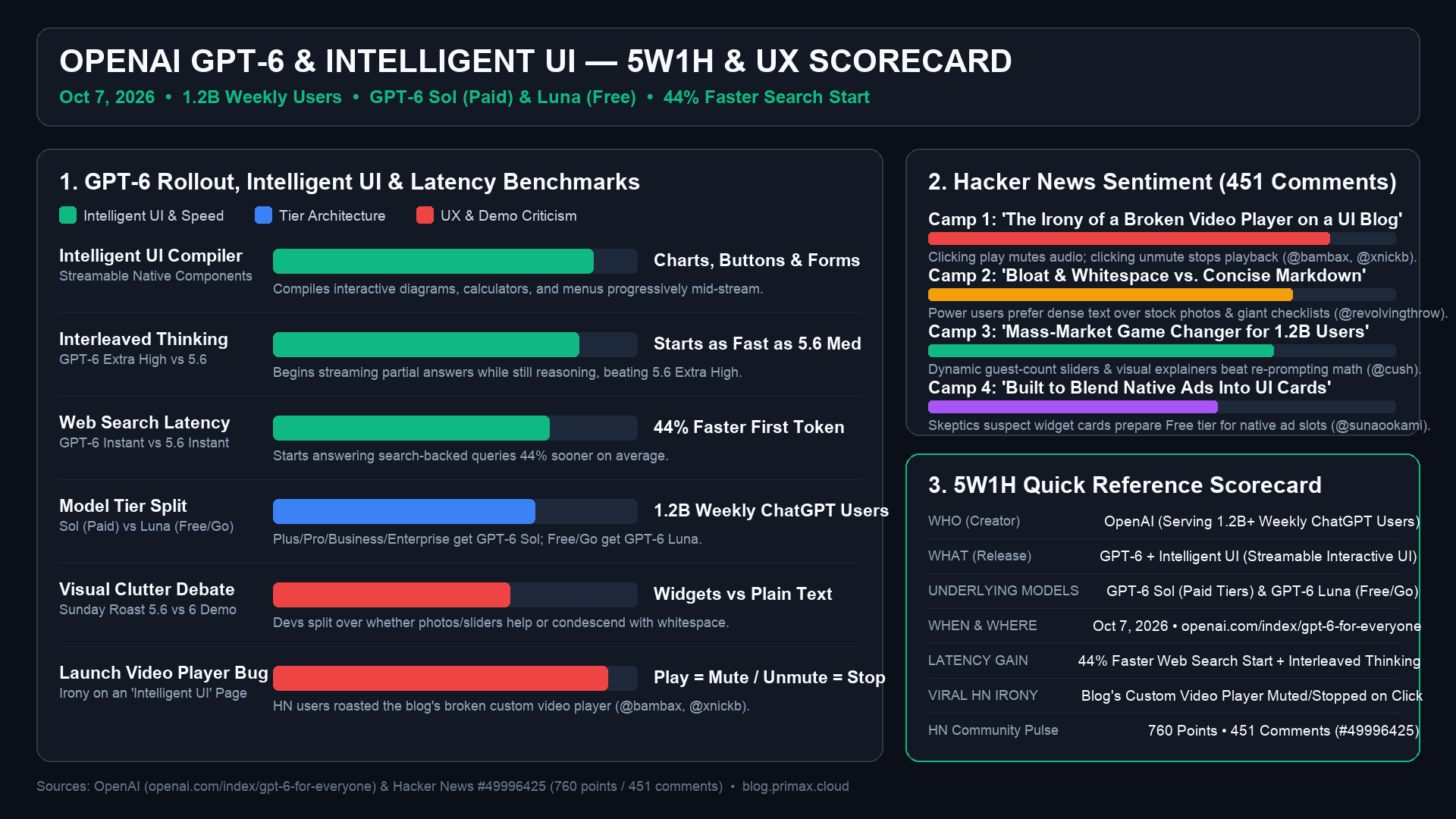
- ~2x Faster Response Speed vs. GPT-5 so interactive UI components hydrate with minimal latency.
- Higher Factual Grounding: Stronger instruction following and reduced hallucination rates on multi-constraint synthesis.
📅 3. When & Where?
- When: Rolled out globally on October 7, 2026.
- Where: Live at chatgpt.com, announced at openai.com/index/gpt-6-for-everyone, and discussed on Hacker News (#49996425).
🎯 4. Why Did It Spark Debate on Hacker News?
- Zero Benchmarks at Launch: Unlike previous major-version jumps (
GPT-3 -> GPT-4), the announcement included noSWE-bench,GPQA, orAIMEtables and no immediate API pricing—feeling more likeGPT-5.5 Turbo + a React renderer. - Markdown Purists vs. Mass-Market UX: Power users complained that custom widgets break
Ctrl+Fsearch, clean copy-pasting, and information density, whereas UX designers argued that 95% of everyday users prefer clicking buttons over re-typing prompts. - The Affiliate Monetization Vector: Once users are trained to click rich product, flight, and hotel cards inside ChatGPT, sponsored placements and affiliate links are the obvious next step.
⚙️ 5. Plain Markdown vs. Intelligent UI & Community Reaction
| Dimension | Legacy Markdown Chat | GPT-6 Intelligent UI | Trade-off |
|---|---|---|---|
| Output | Plain Markdown text stream | JSON DSL hydrated into native widgets | Easier scanning, harder to raw copy-paste |
| Refinement | Type a new follow-up prompt | Click pill / slider / form in place | Eliminates prompt fatigue |
| Speed | Token-by-token text | ~2x faster progressive UI skeletons | Snappy UX, locked to ChatGPT app |
| Monetization | Subscription ($20–$200/mo) | Shoppable cards & action buttons | High risk of future ad clutter |
- UX Breakthrough Camp: Praised OpenAI for moving past the 1970s teletype metaphor toward interactive micro-apps.
- Plain-Text & API Camp: Frustrated by missing coding benchmarks, delayed API access, and no global toggle to force plain Markdown.
- Ad-Tech Cynics: Warned that interactive product cards turn ChatGPT into an affiliate shopping portal.
✅ CONCLUSION
Intelligent UI is a genuine UX win for mainstream users who prefer clicking controls over typing prompts, but developers see the "GPT-6" label as an incremental speed upgrade (2x faster, zero launch benchmarks) that sacrifices clean Markdown and opens the door to sponsored commerce cards.