- Published on
No More "Bucket Name Already Exists" — S3 Account Regional Namespace Is Here
- Authors

- Name
- Hoang Nguyen
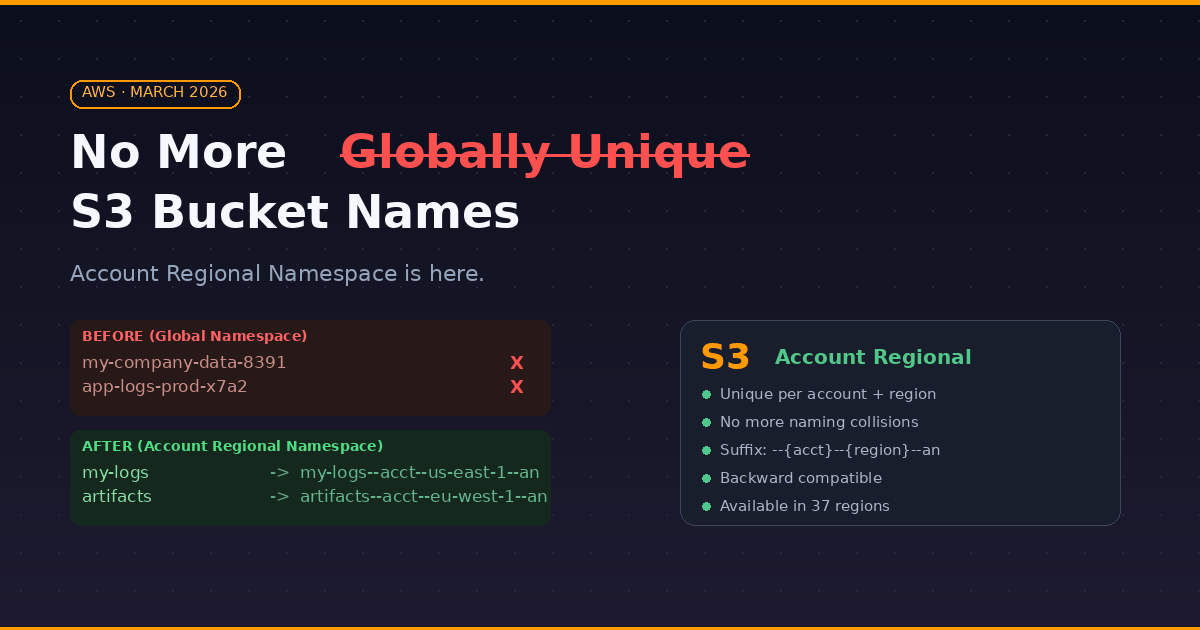
For 20 years, anyone working with Amazon S3 has faced the same frustrating error:
Bucket name already exists
Because S3 bucket names had to be globally unique across ALL AWS accounts in ALL regions, engineers ended up with naming hacks like:
my-company-data-8391
app-logs-prod-x7a2
randomcharacters-bucket-123
On March 12, 2026, AWS finally fixed this.
What: Account Regional Namespace
When creating a new S3 general purpose bucket, you now have two options:
- Global namespace — the classic behavior, globally unique names (still available)
- Account Regional namespace (recommended) — bucket names only need to be unique within your AWS account and region
When you choose Account Regional namespace, AWS automatically generates a full bucket name by appending a suffix to your chosen prefix:
{your-prefix}--{account-id}--{region}--an
For example, if you name your bucket my-logs in account 123456789012 in us-east-1:
my-logs--123456789012--us-east-1--an
The --an suffix stands for Account Namespace and marks the bucket as account-scoped. Your applications use the full name to interact with the bucket, but you no longer have to worry about name collisions with other AWS accounts.
Why: This Changes Real-World Workflows
1. Cleaner Naming Conventions
No more random suffixes to make names unique. Just use what makes sense:
logs
artifacts
backups
terraform-state
Every account gets its own namespace — these names are always available to you.
2. Easier Infrastructure-as-Code
This is where it really shines. Terraform, CloudFormation, CDK, Crossplane — all of these required random suffix generators or naming workarounds to avoid collision errors:
# BEFORE — hoping this name isn't taken
resource "aws_s3_bucket" "logs" {
  bucket = "mycompany-logs-${random_string.suffix.result}"
}

# AFTER — always works, no randomness needed
resource "aws_s3_bucket" "logs" {
  bucket        = "logs"
  bucket_namespace = "account_regional"
}
3. Multi-Account Architectures Become Simpler
In landing zone patterns with dev/staging/prod accounts, you can reuse the same naming conventions across every account:
logsin dev account →logs--111111111111--us-east-1--anlogsin prod account →logs--222222222222--us-east-1--an
Same prefix, different accounts, no conflicts.
4. No More Bucket Squatting
With global namespace, anyone could take your-company-name as a bucket name before you did. With account regional namespace, no other account can create buckets using your account's suffix. If they try, the request is automatically rejected. This is also a security improvement — it mitigates bucket name enumeration and pre-registration attacks.
5. Better CI/CD Experience
Provisioning buckets in automated pipelines no longer requires retry logic or name availability checks. If you own the account and region, the name is yours.
How: Important Details
Backward Compatibility
The global bucket namespace still exists. If you choose the Global namespace option, everything works exactly as before. Existing buckets are not affected. This is purely opt-in for new buckets.
Availability
Account Regional Namespace is available in 37 AWS Regions including AWS China and AWS GovCloud (US) Regions. The only exceptions as of the announcement are Middle East (Bahrain) and Middle East (UAE).
What About Directory Buckets and Table Buckets?
This change applies to general purpose buckets only. S3 Directory Buckets (Express One Zone), Table Buckets, and Vector Buckets already existed in account-level or zonal namespaces — they never had the global uniqueness problem.
The Full Name Is What You Use
One thing to be clear about: the suffix is not just internal. The full bucket name (including --{account-id}--{region}--an) is the actual bucket name you use in API calls, SDKs, and policies. AWS does not hide the suffix — it is part of the name. This is different from what some early articles suggested about AWS "internally resolving" a short name.
P/S: Small change in the console. Big improvement for every DevOps engineer. No more creative names like my-super-ultra-unique-bucket-please-dont-take-this-name. Just name your bucket what it should be called and move on.