- Published on
Claude Code Workflow Cheatsheet — The Designer-Polished Edition
- Authors

- Name
- Hoang Nguyen

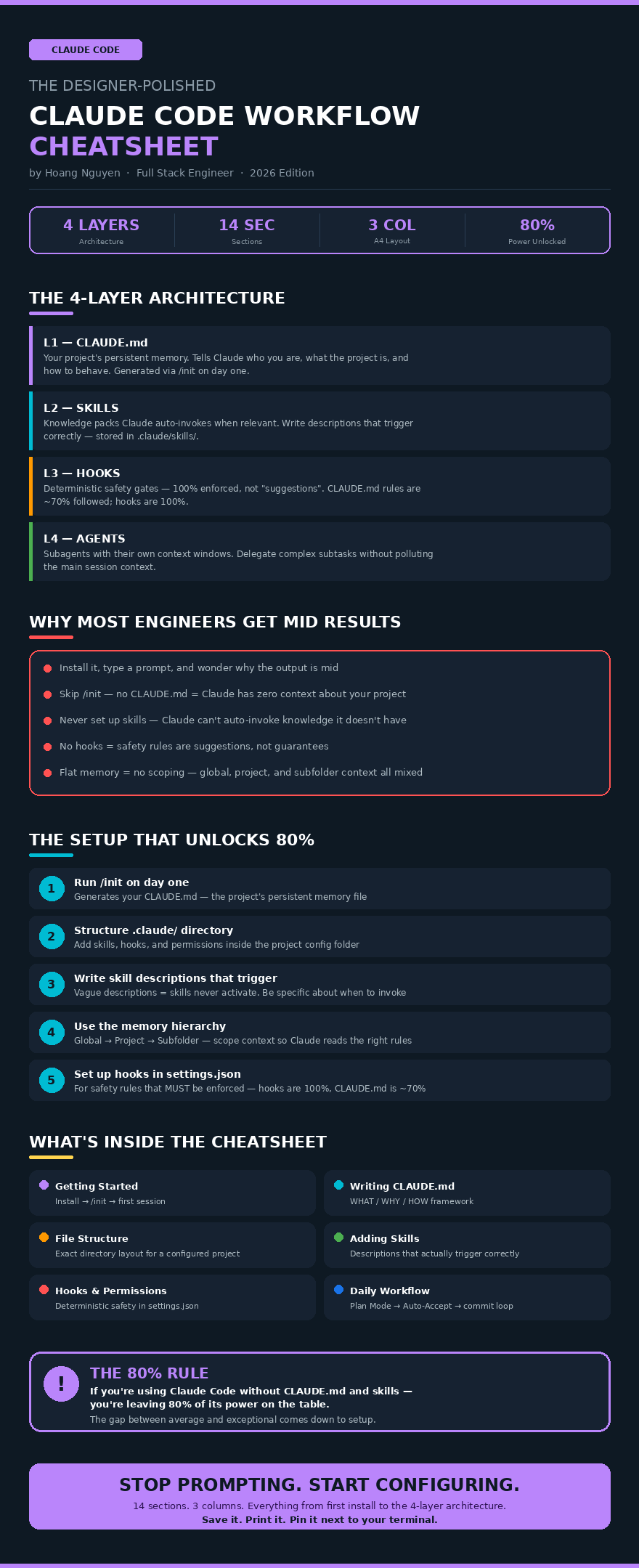
Yesterday I posted a Claude Code cheatsheet made entirely with AI graphics. It went viral. Today's the designer-polished version — cleaner, more readable, worth saving again.
What: Claude Code Is a 4-Layer System
I spent the last few weeks living inside Claude Code. Not just using it. Building with it. Breaking it. Figuring out what actually works vs. what wastes your time.
The biggest lesson? Claude Code isn't just a terminal chatbot. It's a 4-layer system:
- CLAUDE.md — your project's persistent memory
- Skills — knowledge packs Claude auto-invokes when relevant
- Hooks — deterministic safety gates (100% enforced, not "suggestions")
- Agents — subagents with their own context windows
Most engineers install it, type a prompt, and wonder why the output is mid.
Why: The Gap Between Average and Exceptional
The gap between average and exceptional results comes down to setup:
- Run
/initon day one to generate your CLAUDE.md - Structure your
.claude/directory with skills, hooks, and permissions - Write descriptions that actually trigger the right skills at the right time
- Use the memory hierarchy (global → project → subfolder) to scope context
- Set up hooks for safety rules — CLAUDE.md rules are ~70% followed, hooks are 100%
If you're using Claude Code without setting up CLAUDE.md and skills — you're leaving 80% of its power on the table.
How: Everything in One Cheatsheet
I put all of this into a single-page A4 cheatsheet. 14 sections. 3 columns. Everything from first install to the 4-layer architecture.
What's inside:
- Getting Started — install →
/init→ first session - Understanding CLAUDE.md — the WHAT / WHY / HOW framework for writing an effective project memory file
- Project File Structure — exact directory layout for a fully configured
.claude/project - The 4-Layer Architecture — CLAUDE.md, Skills, Hooks, Agents — and how they interact
- Adding Skills — how to write descriptions that actually trigger correctly
- Setting Up Hooks — configuring permissions in
settings.jsonfor deterministic safety - Memory File Hierarchy — global → project → subfolder scoping
- Daily Workflow Pattern — Plan Mode → Auto-Accept → commit loop (
Shift + Tabto toggle) - Quick Reference — keyboard shortcuts, slash commands, and the most useful flags
Save it. Print it. Pin it next to your terminal.
P/S: Credit to Brij Kishore Pandey for the original cheatsheet design. If you want the full breakdown of each section, drop a comment — I might turn this into a series.